Creating high-performing email campaigns starts with the right tools—and platforms offering built-in newsletter templates can dramatically increase productivity. For email marketing specialists, digital freelancers, and marketing leads, using the right platform can mean the difference between streamlined success and wasted time.
In this guide, we’ll compare leading platforms that offer email newsletter templates, evaluating them based on usability, advanced features, and pricing. You’ll also see why theMarketer stands out for professionals looking to scale performance without compromising on design or efficiency.
Table of contents:
- What makes a great newsletter template platform?
- Top platforms compared by newsletter templates
- Free vs paid newsletter templates: what professionals need to know
- Newsletter examples: design that converts

What makes a great newsletter template platform?
For professionals who manage multiple clients or campaigns, a great platform must go beyond aesthetics. Here’s what to prioritize:
- Ease of use: Intuitive builders with drag-and-drop functionality, modular editing, and reusable components.
- Responsive design: Templates must render flawlessly across devices.
- Template versatility: From product updates to internal company newsletters, the platform should support diverse communication goals.
- Customization options: Ability to edit fonts, branding, layouts, and calls-to-action without coding.
- Automation & integrations: Built-in flows, CRM syncing, and audience segmentation are essential.
- Reporting & analytics: Open/click rates, heatmaps, and performance insights to optimize campaigns.
These features ensure repeatability, scalability, and a smooth client delivery experience for both in-house teams and freelancers.

Top platforms compared by newsletter templates
Let’s break down how the most popular tools measure up for marketers focused on performance, workflow integration, and long-term scalability.
theMarketer
- Ease of use: The platform is built for marketing teams and freelancers alike—offering a clean, drag-and-drop interface, reusable blocks, and real-time previews.
- Templates: 120+ professionally designed email newsletter templates, categorized by campaign goals (sales, onboarding, editorial, internal comms).
- Features: Includes list segmentation, behavioral triggers, A/B testing, analytics dashboards, and flexible email blast template builders.
- Pricing: Generous free plan. Paid plans scale affordably based on audience size and campaign complexity.
- Strength for Professionals: High-converting templates accessible even on the free plan, ready to deploy for multiple brands or departments.
For freelancers: streamline your client delivery with ready-to-go templates. For in-house teams: build consistent branded emails across departments.
▶️Ready to scale smarter? Whether you manage 10 campaigns or 10 clients, theMarketer is built for modern marketing workflows. Try theMarketer for free — and see what you can create in under 10 minutes
Mailchimp
- Ease of use: Well-established builder with decent UX, though automations can require a learning curve.
- Templates: Basic templates available in the free plan; richer layouts are gated behind higher tiers.
- Features: Automation, analytics, eCommerce tools.
- Pricing: Free up to 500 contacts. Essentials plan starts at ~$13/month.
Works well for startups, but scaling template variety requires investment. Not ideal for large-volume execution without higher spend.
Constant Contact
- Ease of use: Simple editor suited for basic newsletters.
- Templates: Wide selection, but lacks deeper customization.
- Features: Basic automations, event integrations.
- Pricing: From ~$12/month, with no lasting free option.
Suitable for small businesses with low design needs. Freelancers and CMOs may find it limiting.
Canva (with export to email tools)
- Ease of use: Fantastic for visual design; lacks campaign infrastructure.
- Templates: Visually stunning, brand-friendly.
- Features: Export only—no automation or email tracking.
- Pricing: Free and Pro plans ($12.99/month). Requires pairing with Mailchimp or other ESPs.
Great for visual creators, but not a full email marketing solution. Time-consuming for teams managing frequent sends.
Free vs paid newsletter templates: what professionals need to know
Many tools offer free email newsletter templates, but limitations often include:
- Lack of flexibility: Hardcoded layouts or limited branding options.
- No automation access: Free plans may restrict audience segmentation or triggers.
- Usage restrictions: Watermarks or non-commercial licenses.
theMarketer breaks that pattern by offering high-performing templates—even on its free plan. You can build, test, and launch without barriers, then scale when needed. For marketing managers: this supports faster campaign deployment. For freelancers: it speeds up onboarding and delivery.
Use cases: email blasts, monthly newsletters & more
Every audience has different needs. Platforms should support:
- Sales-driven email blast templates: Focused on CTAs, urgency, and personalization.
- Internal company newsletter templates: Keep employees informed and engaged.
- Client onboarding campaigns: Multi-step automation flows.
- Industry-specific formats: Real estate, SaaS, ecommerce.
theMarketer includes pre-built sequences and templates mapped to specific goals, ready for customization. Marketing leads can build workflows once and replicate across brands, saving significant time.

Newsletter examples: design that converts
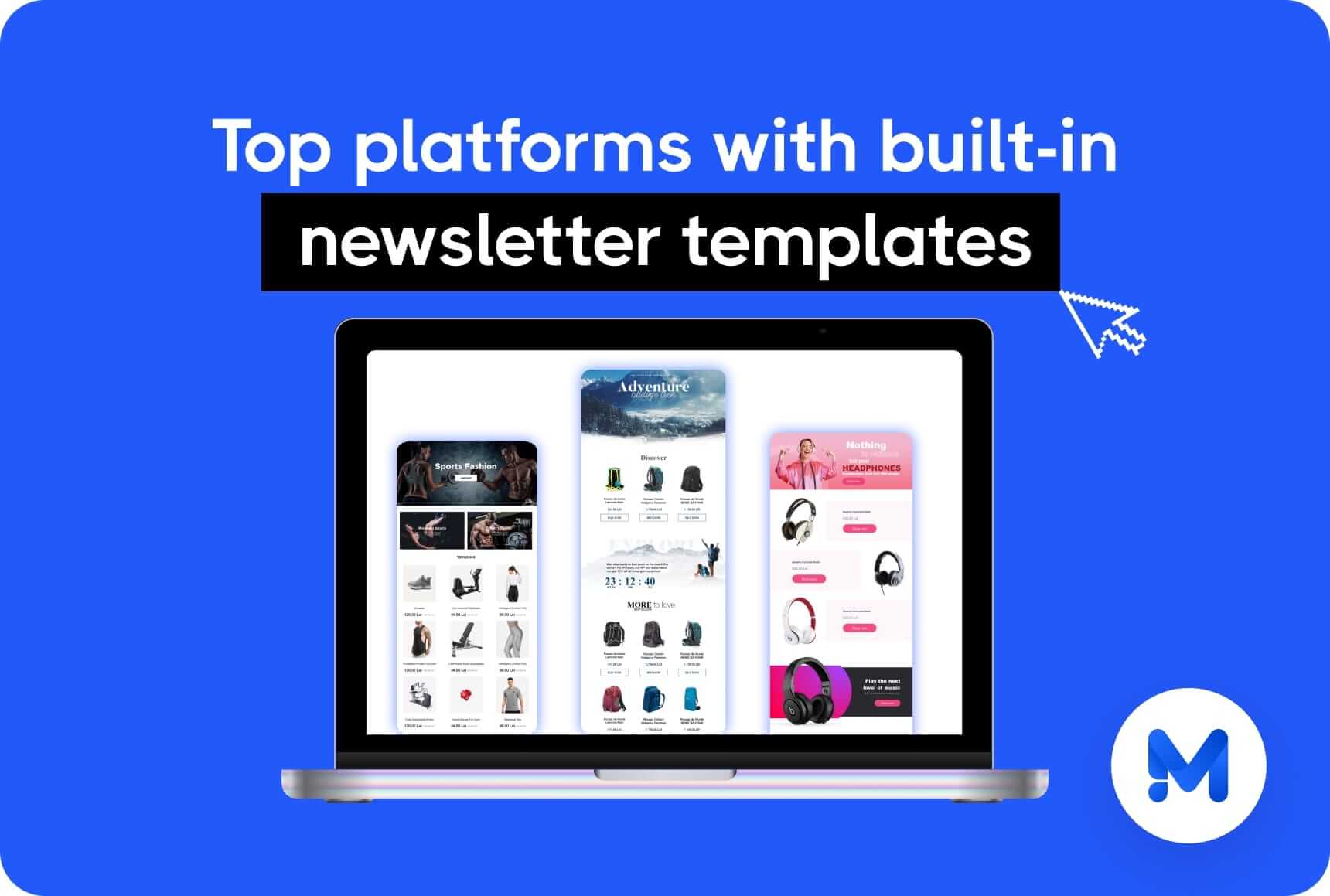
Design isn’t just aesthetic—it’s strategic. Effective newsletter templates often feature a clear hierarchy that guides the reader from the headline, through visuals, to a compelling call to action. They are designed to perform well on mobile devices, where most emails are now read, and they maintain consistent branding through typography, color palettes, and tone of voice.
But great design goes beyond structure. It connects emotionally, creates flow, and subtly drives the reader toward engagement—whether that’s clicking a CTA, making a purchase, or forwarding the email. A well-designed newsletter feels effortless to read and delivers value from top to bottom. Some core characteristics of high-converting templates include:
- Whitespace balance: Avoids visual clutter while highlighting key messages.
- Visual hierarchy: Proper use of font sizes, image positioning, and button placement.
- Scannability: Short paragraphs, bullet lists, and clear sections for fast reading.
theMarketer’s design team builds with conversion in mind—templates are tested and refined across industries and adapted based on performance data. These templates aren’t just pretty—they’re proven to work.
Whether you’re a freelancer managing multiple clients or a team lead overseeing cross-channel campaigns, having a library of tested designs means you can launch with confidence, iterate faster, and maintain brand consistency across communications. For freelancers juggling multiple clients: these templates adapt easily to different brand voices, saving hours of design work and review cycles.
If you’re responsible for multiple campaigns, brands, or stakeholders, choosing the right platform can significantly impact your marketing efficiency and results. theMarketer brings together ready-to-use templates that save hours on design, automation tools that reduce repetitive tasks, analytics that clearly demonstrate performance and ROI, and flexible pricing that scales with your business—not against it. Whether you’re a freelancer handling several clients or a marketing lead scaling internal communication, theMarketer offers the agility and power to support your workflow, your team, and your growth.
Photo source: Freepik.com